
A Thornton Fence Consulting Group Solution
TFCG’s workflows, built into your CRM.
Fence4Profit is the CRM from Thornton Fence Consulting Group. TFCG’s workflow, from the first call to the final invoice, is already running inside — so your team works the system Tony and his team teach from day one.
Powered by Teravo Pro

Tony’s name is on it
Fence4Profit is Thornton Fence Consulting Group’s own CRM. It carries the workflow Tony and the TFCG team teach fence contractors, in the software Tony chose to put it in.

Tony started building fence at 15 and has worked the trade as a contractor, a distributor and a manufacturer’s rep. He spent eight years as Executive Director of the American Fence Association before founding Thornton Fence Consulting Group in 2022.
- 50+ years in fencing
- AFA Hall of Fame
- AFA Executive Director, 2014–2022
- Author, The 7 Strategies for the Professional Fence Contractor
Simple to run
A CRM only helps if your people actually use it. Fence4Profit is built to be easy to learn and easy to get around.
One system, start to finish
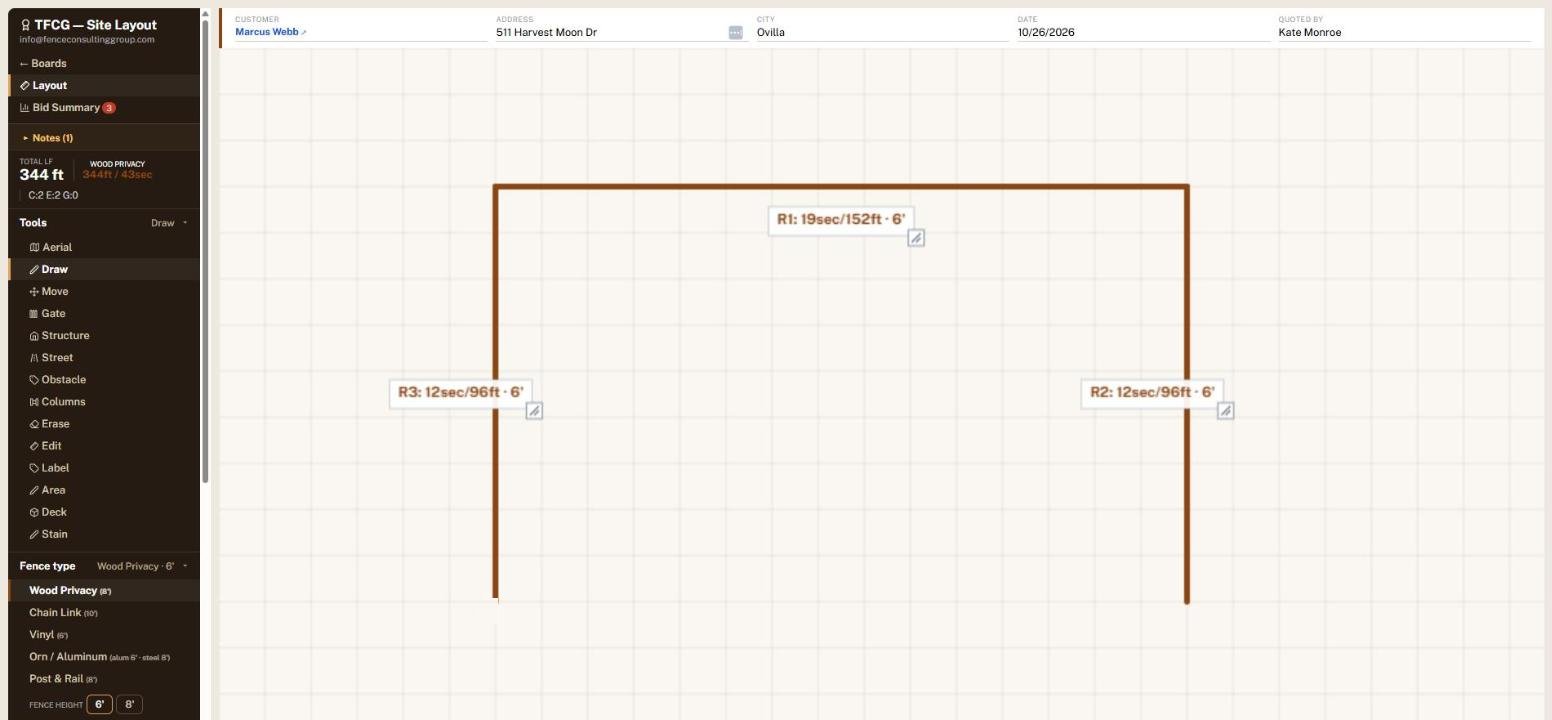
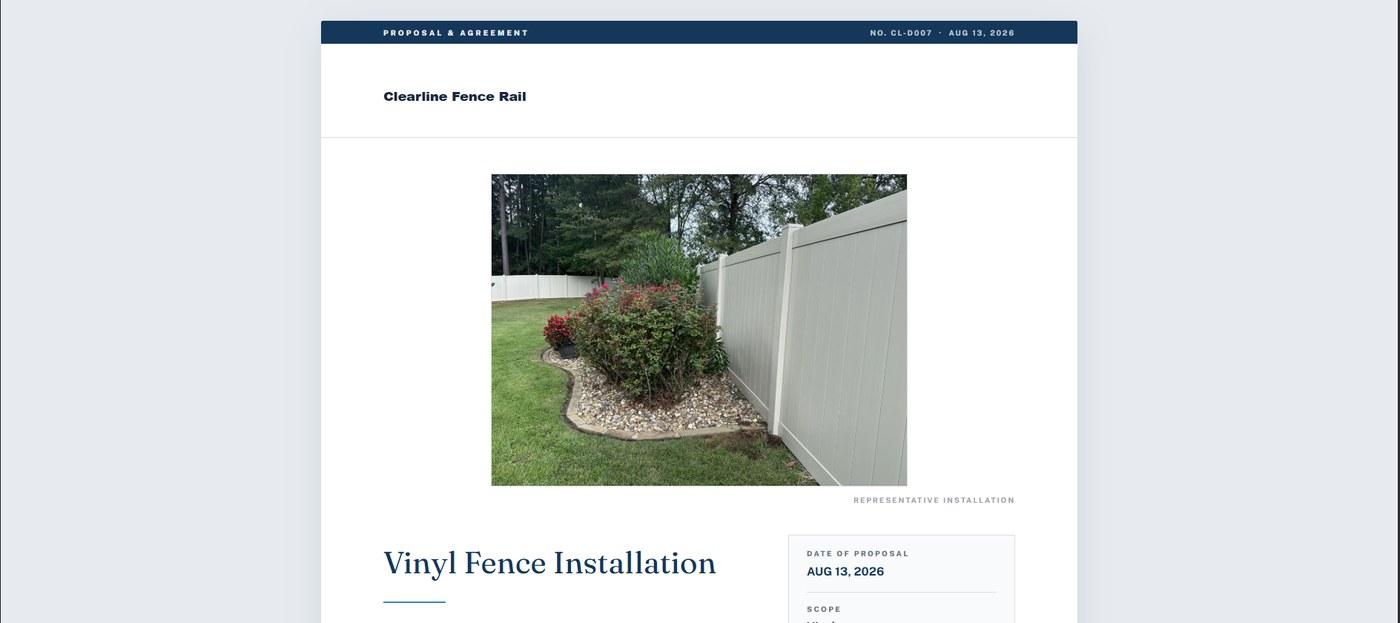
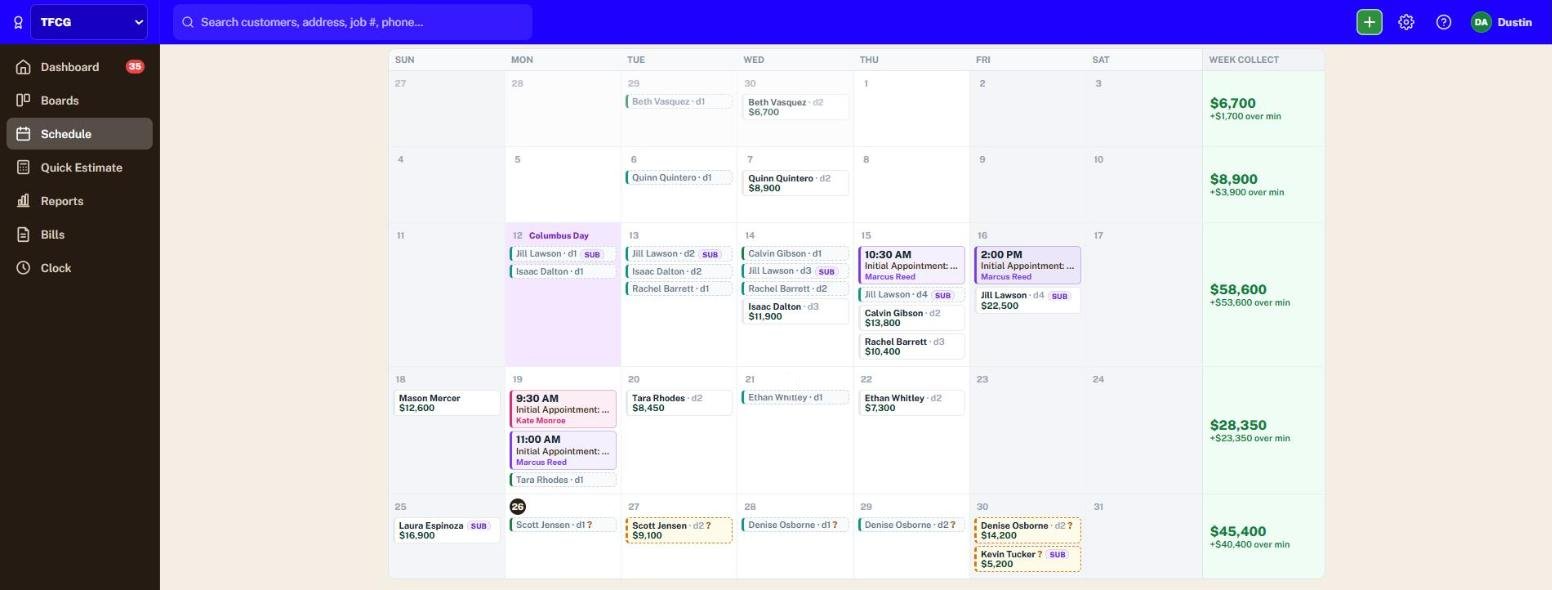
The first call, the drawn and priced bid, the signed proposal, the crew schedule and the invoice in QuickBooks — one job, never re-typed.
Learn it in a day
Built for the people who run the jobs, not for an office full of software admins. If you can run a job, you can run Fence4Profit.
Works from the truck
Draw the fence, send the proposal, check the schedule and clock the crew in from a phone, a tablet or the office computer.
TFCG’s workflows, already built in
TFCG’s Overall Workflow Checklist is inside every job. The paper version asked for initials, a date and a time on every line; Fence4Profit records all three on its own, on the screen where the work is already happening.
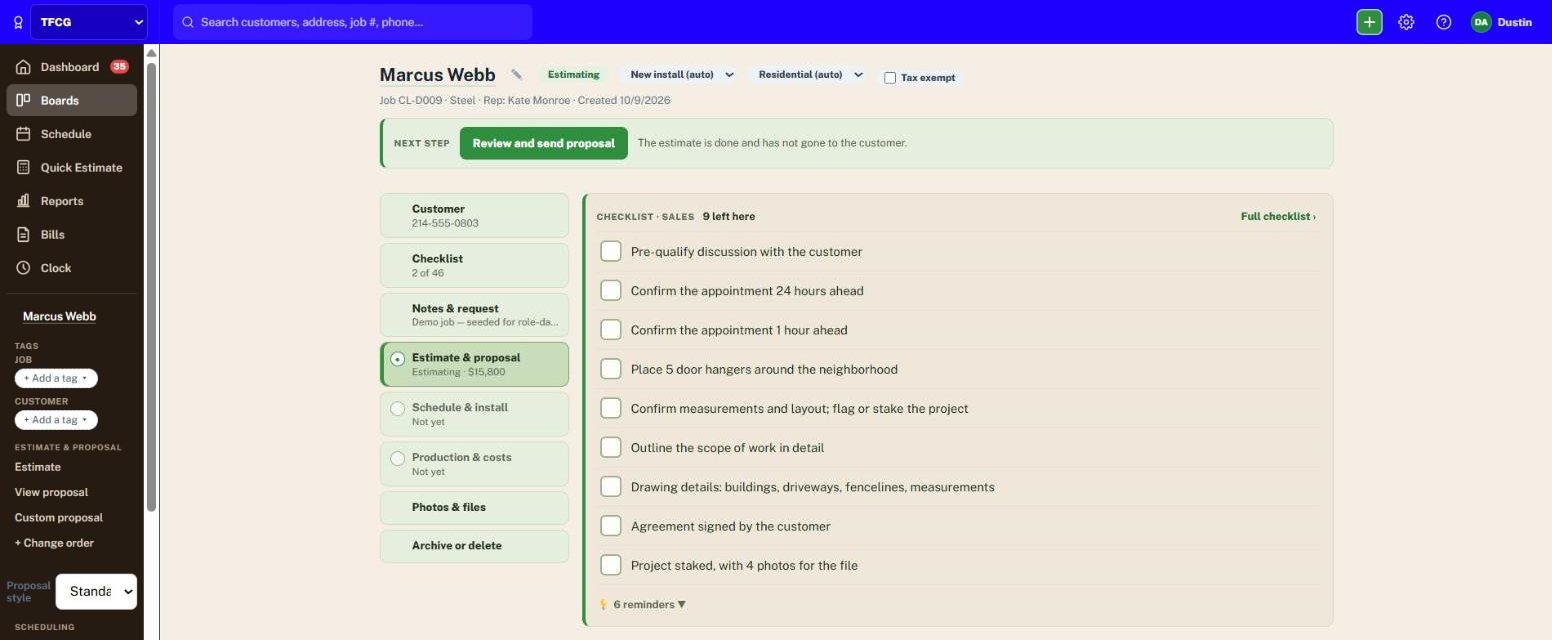
TFCG’s workflow on every job
One checklist follows the job from the first call to the thank-you note: Admin, Sales, Job Folder, Operations, Installation, Close-out and Office. Nobody goes looking for a separate list.
Most steps check themselves off
When the system already knows something happened — the agreement is signed, the deposit is in, the crew packet went out — the step checks itself off, with the name and time of whoever did it.
Nothing slips quietly
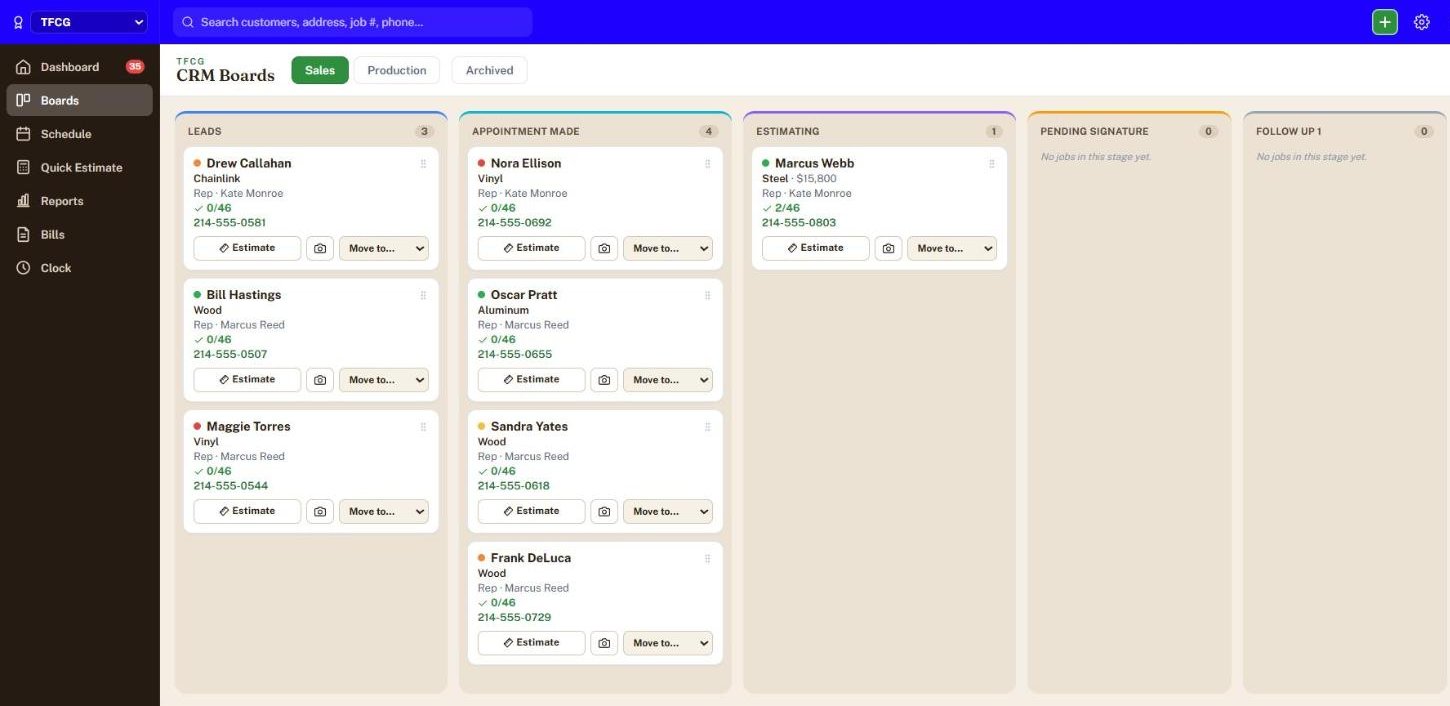
Every card shows how far along it is, and every open step stays in front of the person it belongs to. Timed steps, like the 24-hour appointment confirmation, become reminders.
Real handoffs, with a receipt
Sales hands the Job Folder to Operations with a button. Anything missing is listed first, Ops presses Got it, and gets reminded if they don’t. Ops hands off to the Office the same way.
Ops approves what they have opened
The Confirm steps in Operations have a Review button, not a checkbox. Approve and Flag a problem only appear under the open document, and an approval clears itself if the drawing or materials change.
The crew works it from their phone
While they’re clocked in to the job, the crew sees the Installation steps: load-out checked against the list, Job finished, what came back on the truck, and the customer’s sign-off.
TFCG’s Overall Workflow Checklist, on every job
From TFCG’s plan to every job
TFCG sets the standard. Fence4Profit puts it on every job your company runs, and shows that it happened.
- 1
Thornton Fence Consulting Group
Set the standard
TFCG’s workflows and procedures, built from Tony’s 50+ years in the trade, are the way every job runs.
- 2
Fence4Profit
Run it on every job
The workflow lives on every card, on the screens your people already use — the job page, the boards, Tasks, and the crew’s phone.
- 3
Fence4Profit
See what actually happened
Every step is stamped with who and when. The count on each card shows how far along it is, and the open steps show where jobs stall.
- 4
TFCG and your team
Keep improving
Your TFCG sessions start from the record of what happened on your jobs, not from memory — so the coaching goes where the jobs are actually stalling.


Who’s behind it
Thornton Fence Consulting Group brings the method: TFCG’s workflows, procedures and the Fenceline to Success standard, built from Tony’s more than 50 years in the trade. More about TFCG
Teravo Pro is the technology underneath: fence company software built by Dustin Ashworth, owner of Blue Ribbon Fence Co., and run on his own jobs every day. The Teravo team sets up your account and supports it.

Questions
What is Fence4Profit?
The CRM from Thornton Fence Consulting Group: leads, drawn and priced bids, signed proposals, crew scheduling and invoicing in QuickBooks, with TFCG’s Overall Workflow Checklist running on every job. Powered by Teravo Pro.
How does it work with my TFCG consulting?
The workflow Tony’s team teaches is the one running on your jobs. Your sessions start from what actually happened — who did each step, when, and what’s still open — instead of from memory.
Will the checklist slow my team down?
No. More than half of the steps check themselves off as the work gets done, and the rest are a tap on the screen your people are already using: the job page, the boards, or the crew’s phone.
What does it cost?
Plans run from Solo to Multi-Location, plus a one-time implementation, all published on the pricing page. Month to month, no contract.
How do I get set up?
Every account starts with a hands-on implementation session. We load your real pricing, materials and proposal templates with you, and TFCG’s workflow is on from your first job.
See Fence4Profit on your jobs
- About 30 minutes, on a video call or a phone call.
- You’ll watch a real job move through TFCG’s workflow, from the first call to close-out.
- Think of an estimate that’s a pain to put together — like a shared run you split with the neighbor, down to which way the pickets face — and see how fast it quotes.
Already made up your mind?
Skip the demo. Pick your plan and we’ll book your setup session.