One tool for the whole job.
Fence, deck, and landscaping estimating software, proposal software, crew scheduling, and QuickBooks bookkeeping — here’s what Teravo Pro does, in the order your jobs actually happen.
Bid it fast. Bid it right.
The estimate is where fence companies live or die, so it’s where Teravo Pro does its heaviest lifting.
Draw the fence on screen
Trace the fence line, drop gates and corners where they go, and the footage takes care of itself. What the customer sees on the proposal is the drawing you made in the driveway.
Your pricing, not a formula
Materials, labor, and margins come from your own numbers — by the section, by the foot, however you actually sell. Set up a good, better, best structure and every bid prices all three at once.
Quote the whole yard, not just the fence
Ornamental across the front, chain link down the sides and back, a patio and planting beds in between: every run and every scope goes on the same plan and prices on its own line, so the customer signs one proposal for the whole outdoor space.
Proposals signed from a phone
A clean, branded proposal with photos, options, and your terms. The customer signs electronically and the deposit invoice goes out through QuickBooks — no printing, no driving back.
Automations you can actually edit
Every proposal kicks off your follow-up sequence automatically — and the sequence itself is yours to edit in plain English in Settings, no consultant required. Emails go out during business hours and stop the instant the customer signs.
No lead falls through
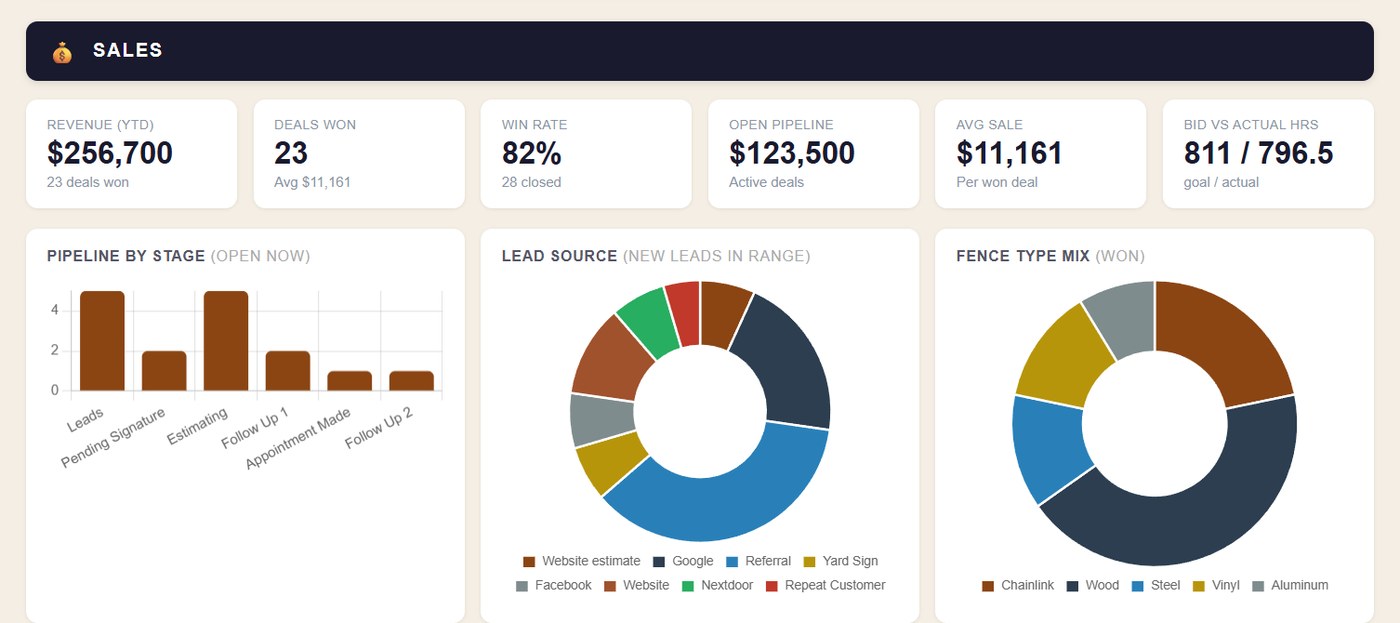
Every lead lands in the pipeline the moment it comes in, from the website form or a phone call you logged in ten seconds. The sales board shows who needs a call, who has a bid out, and who is waiting on a signature. The moment a job sells, it moves to the production board on its own, so the field picks it up without a hand-off meeting.


From signed to scheduled to built.
Scheduling built around crews
Install days and crew assignments on a calendar that understands crews — jobs block out the days they need, and days off don't break the plan.
Work orders from the bid
Material lists and work order PDFs generate straight from what was sold. The crew builds exactly what the customer signed.
A portal your customers can check
Every customer gets a no-login link with their project status, signed documents, job-site photos, payments, and the warranty papers for their exact fence type. The 'just checking in' calls answer themselves.
Callbacks that get closed
Warranty visits and punch-list items get their own lane, so a callback is a task with an owner instead of a sticky note.
Photos, videos, and files on the job
Contracts, HOA letters, utility locates, and job media — storage for 30 photos and 2 videos on every job, right where the whole company can find them.


QuickBooks, actually integrated.
The problem with most integrations isn’t that they don’t connect. It’s the manual corrections that follow. Teravo Pro posts estimates, deposits, invoices, and job costs to QuickBooks with the accrual accounting contractors need already done on the back end, so your books match your jobs without anyone going in afterward to fix them. A QuickBooks Certified ProAdvisor on our team checks your QuickBooks setup during implementation.
Deposits when they sign
The signed proposal carries its deposit straight into QuickBooks against the right customer and job.
Job costing without spreadsheets
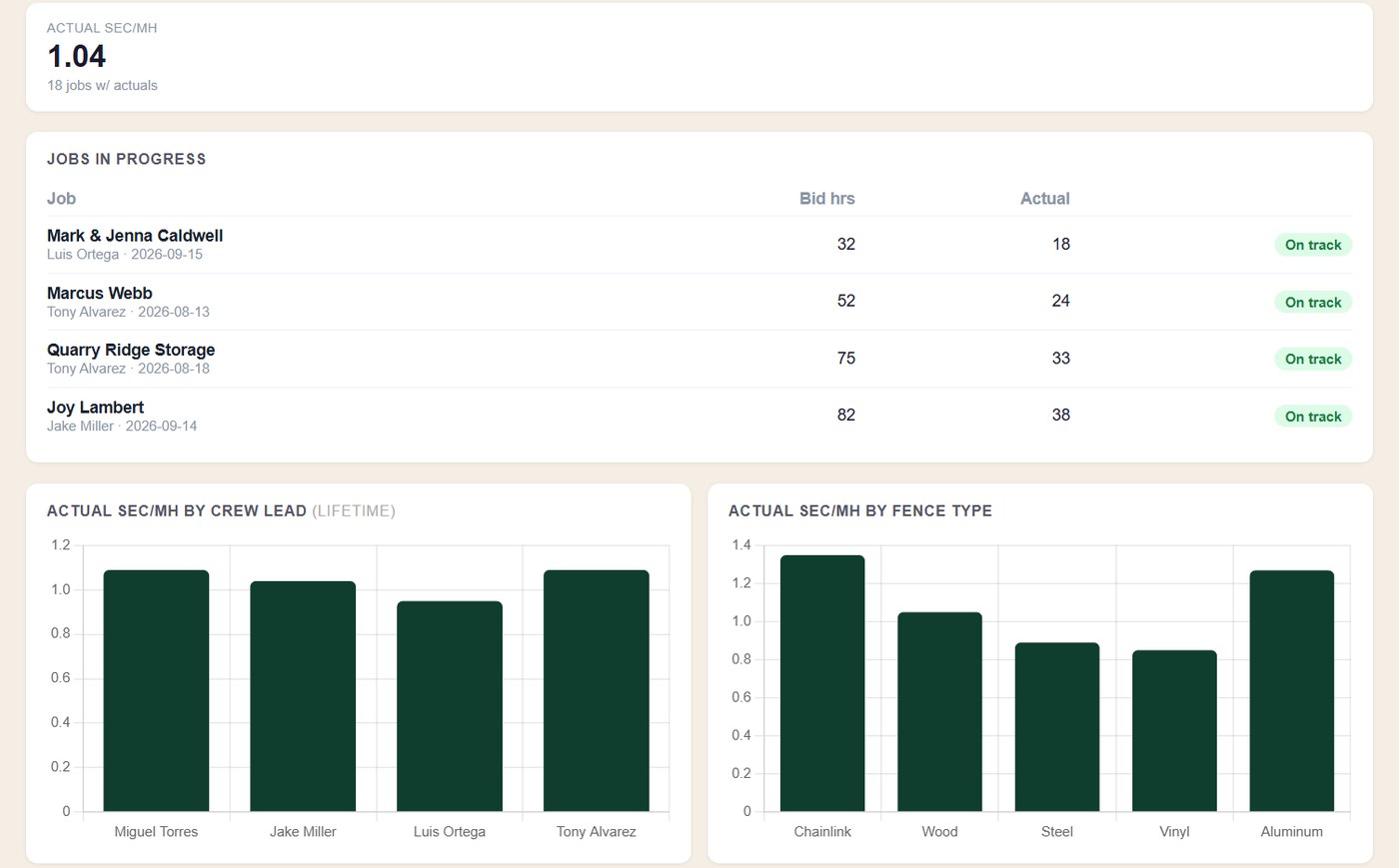
Actual costs land on the job, so you can see profitability by individual job and by the month.
Your books stay yours
Teravo Pro feeds QuickBooks; your accountant keeps working exactly where they always have.
Cash flow reports you can trust
Teravo Pro and QuickBooks work together to make sure your cash-flow reports are accurate. Every estimate, deposit, invoice, and job cost lands in the books correctly and on time, so the forecast is built on real numbers.
The office, without the office staff.
Email from your own address
Proposals and follow-ups send from your company email — not a noreply@ that lands in spam.
Your team, your logins
Invite the crew leads and office help you have, with roles that keep sensitive numbers to the owner.
Dashboard that tells the truth
Bids out, close rate, jobs sold, production — the numbers an owner checks at 6am, on one screen.
Set up in a guided wizard
Company info, pricing, proposal templates, team — a step-by-step setup, and we walk through it with you (that's the implementation fee doing its job).
Connected where it counts
Teravo Pro integrates with multiple platforms when you need it to, so the tools you already run keep working alongside it.
Fence first. Outdoor trades next.
Teravo Pro is built fence-first — and the same draw-and-price engine already handles site work like concrete flatwork and landscape areas, with more outdoor trades on the roadmap.
Book a demo